
The native Mac editor for Claude Code.
Connect Claude Code through /ide and review its edits as diffs. Underneath, a fast, free editor in the spirit of Notepad++: tabs, regex, CSV tables.
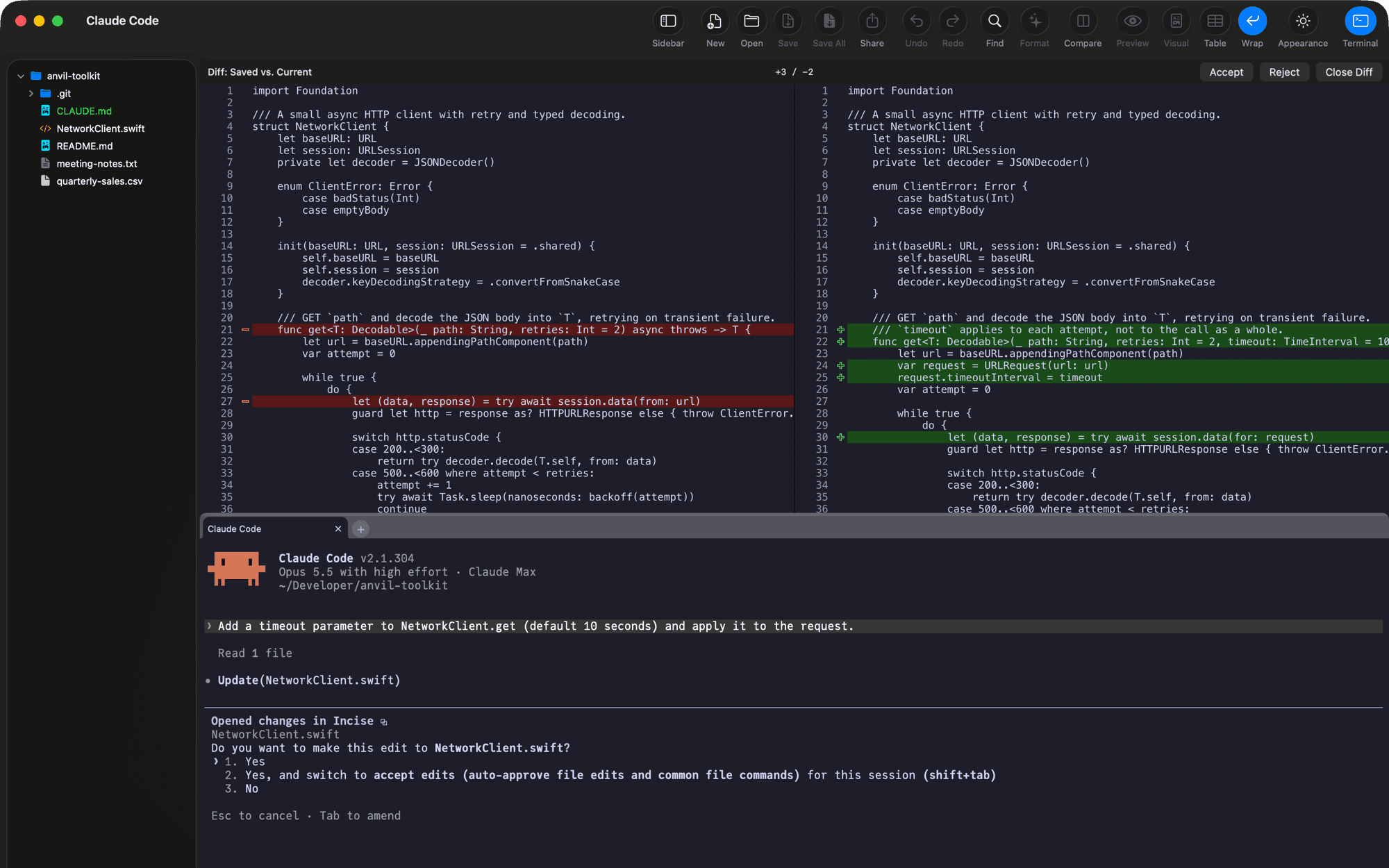
One editor for code, notes and data.
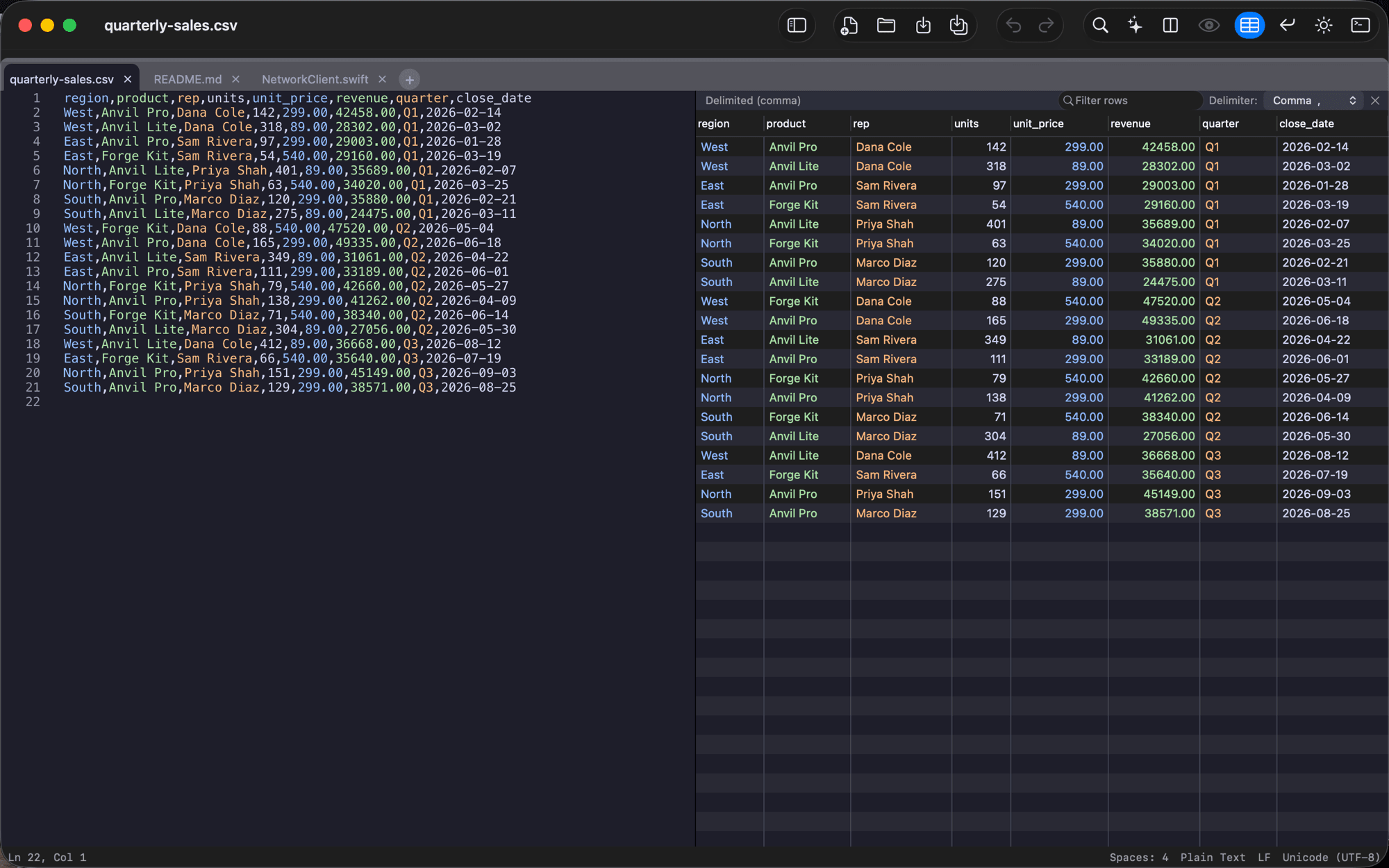
CSVs open as a table
Columns are detected for you. Sort, filter and edit cells in place, and changes write straight back to the file.
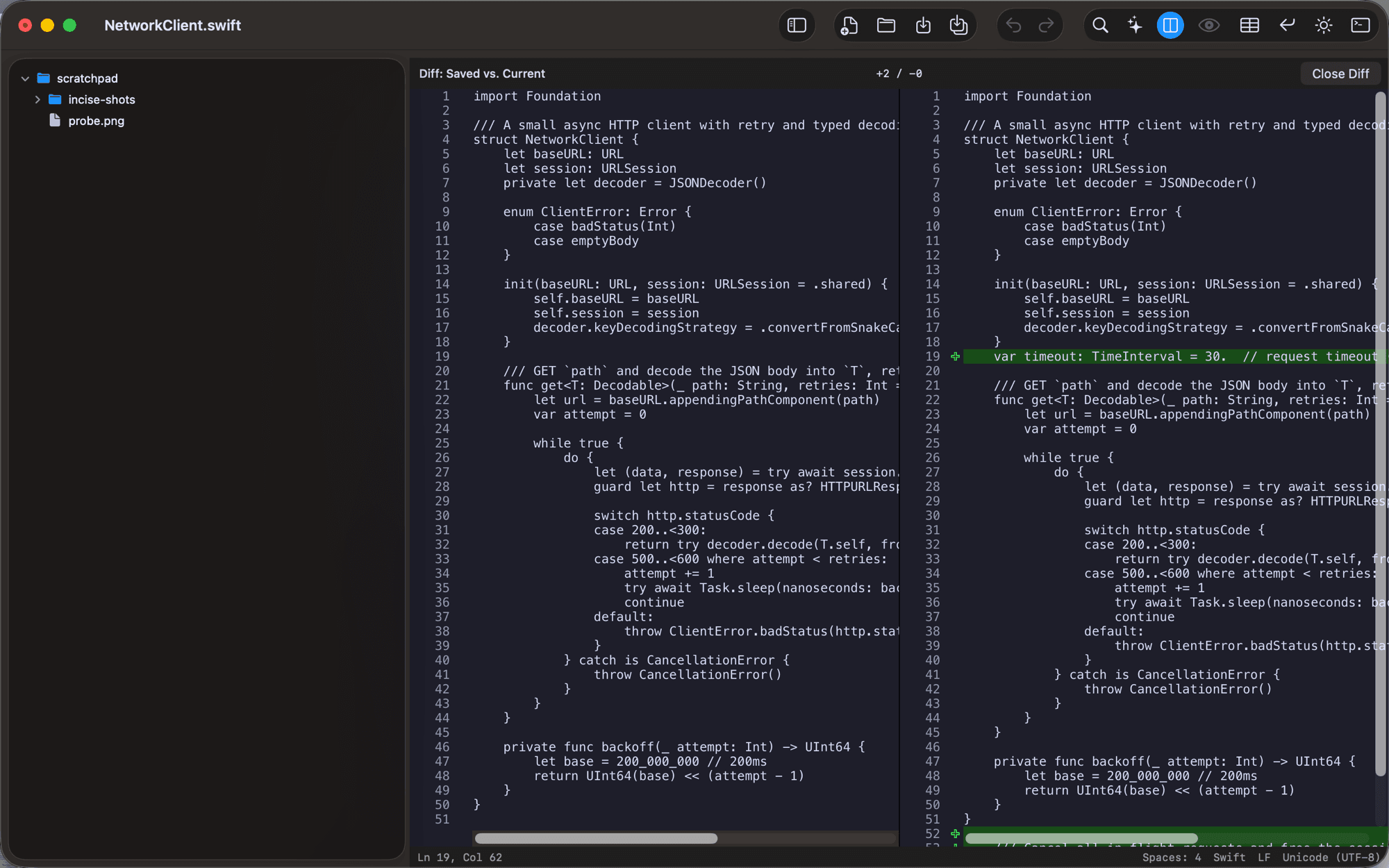
Diff against disk
⇧⌘D compares your unsaved edits with the saved file, side by side.
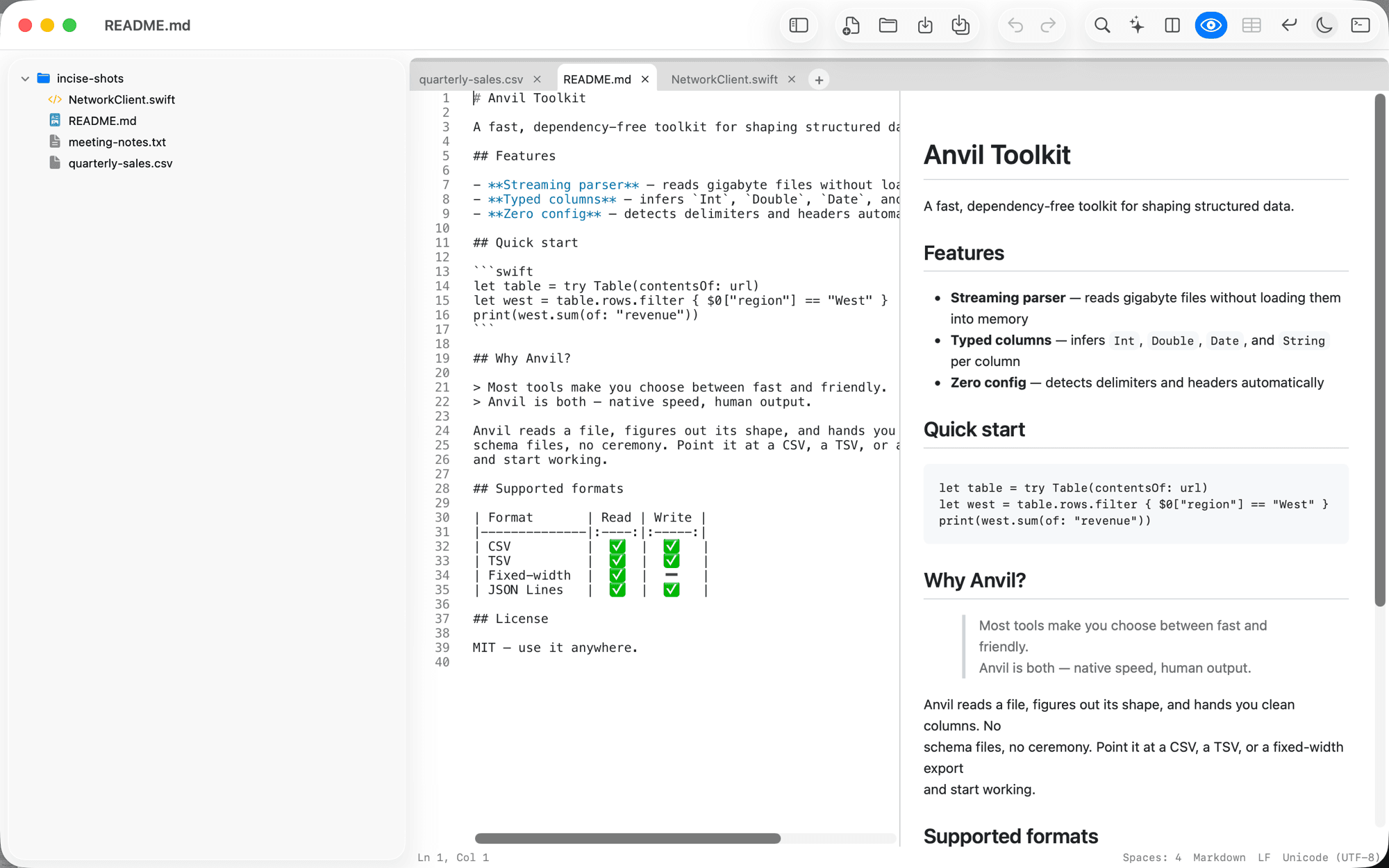
Live Markdown preview
⌘⌥P splits the editor, and the preview updates as you type.
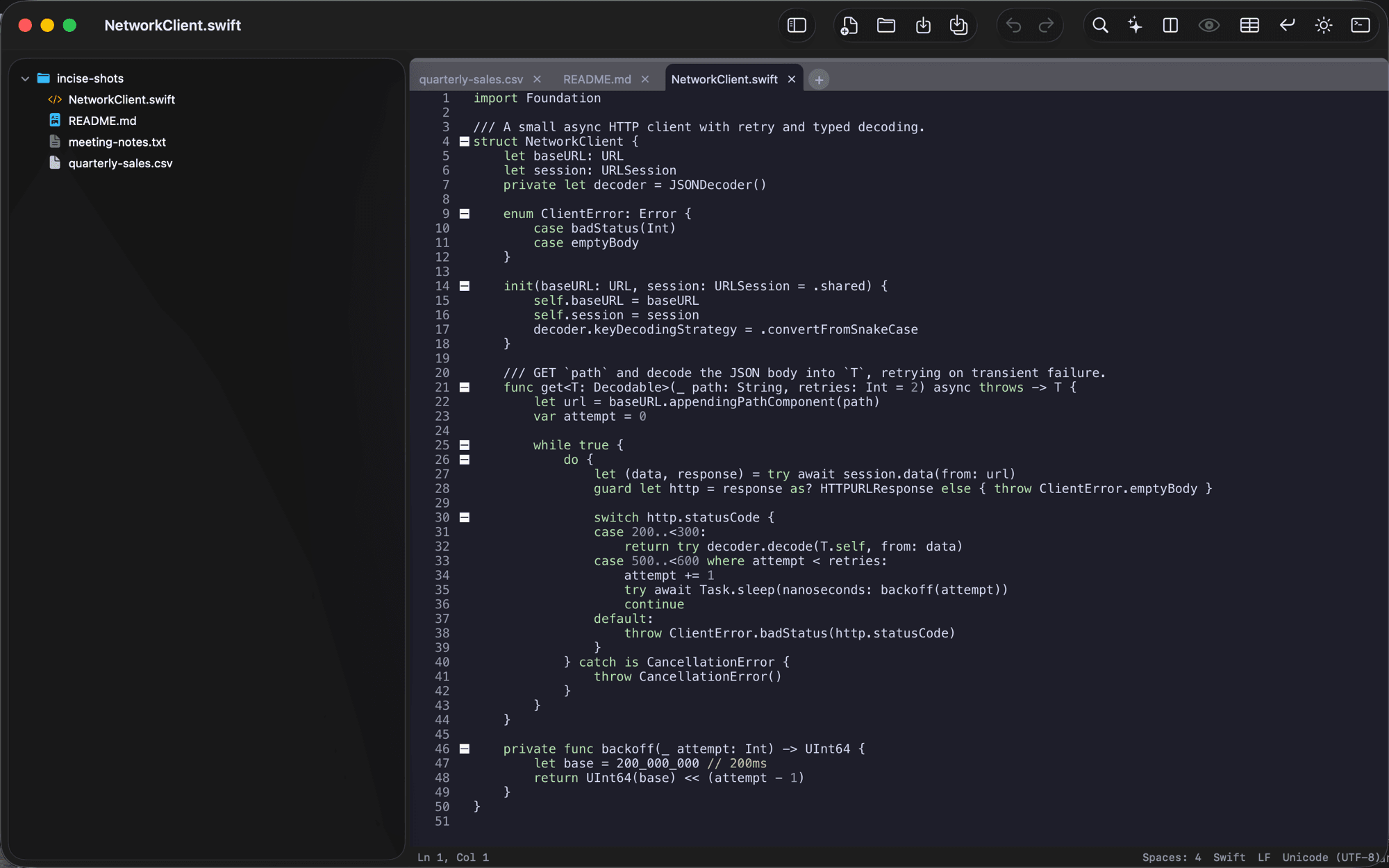
Syntax highlighting that keeps up
A tuned Scintilla engine: tabs, folding and a file tree, with no lag on large files.
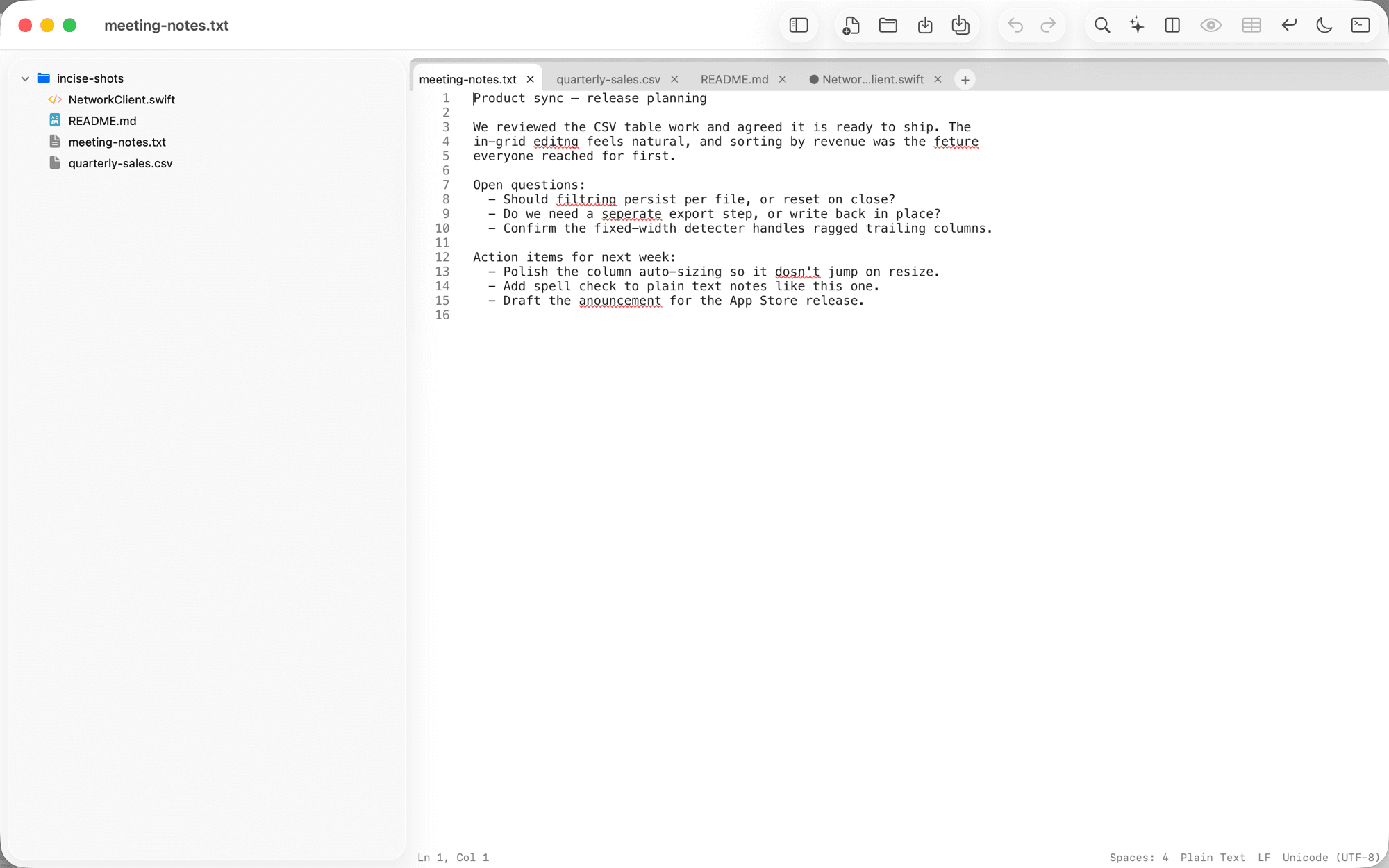
Spell-check as you type
In plain-text notes and Markdown. Right-click a squiggle for suggestions.
Quit mid-thought. Every tab comes back as you left it, unsaved notes included, and nothing asks you to confirm.
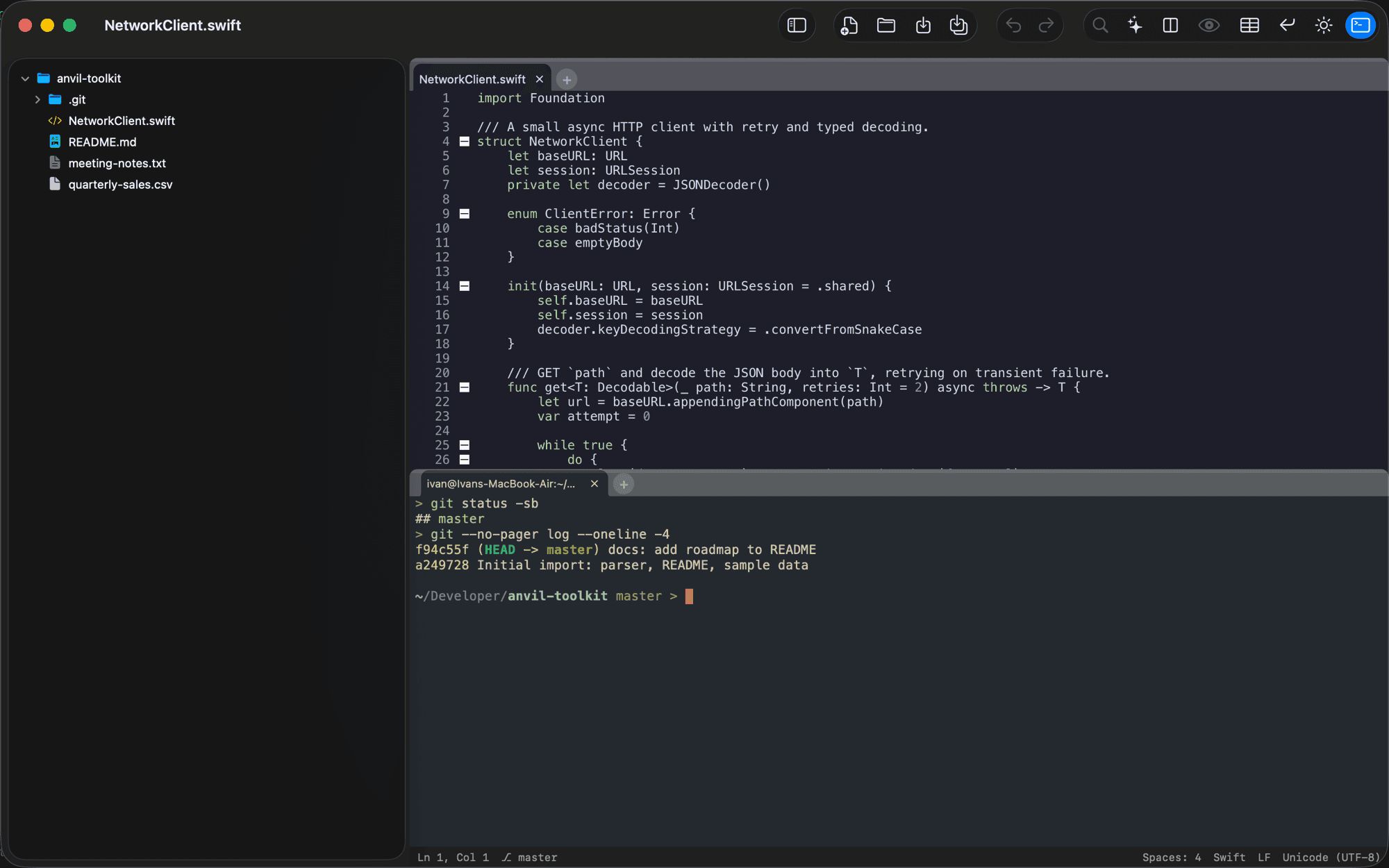
The editor your coding agent drives.
- Claude Code, through /ideClaude sees the file and selection you're on, and shows each edit as a diff you accept or reject.
- Any other agent, over MCPCodex, Cursor, Antigravity, Grok Build and VS Code connect to the same small server on your Mac.
- Run them in the built-in terminalA real login shell docked beside the editor, a tab per agent, and a notification when one stops to wait for you.
The built-in terminal is in the direct-download and Homebrew edition. Why not the App Store one?
Coming from…
New in this release
1.16.1
November 10, 2026
- Every match highlighted: while the find bar is open, every match is highlighted in yellow, and the current one is solid yellow with dark text, so it stands out in light and dark themes.
- Regex selects the whole match: with Regex on, Next selected only as many characters as the pattern had, not the text it matched.
- Tabs: the tab bar is announced as a group of tabs, each with its name, whether it has unsaved changes, and whether it is the selected one.
Get Incise
Direct download
The full app, built-in terminal included. It checks for updates itself and shows what changed before installing.
Version 1.16.1, macOS 13 or later, notarized and signed
Homebrew
brew tap incise-app/tap
brew trust incise-app/tap
brew install --cask incise
Mac App Store
View in App StoreThe same app and just as free, in Apple’s sandbox, which rules out a built-in terminal. Compare editions